...

By Brittany Vincent
Gaming Editor
0
Share
Newsweek is a Trust Project member
See more of our trusted coverage when you search.Prefer Newsweek on Googleto see more of our trusted coverage when you search.
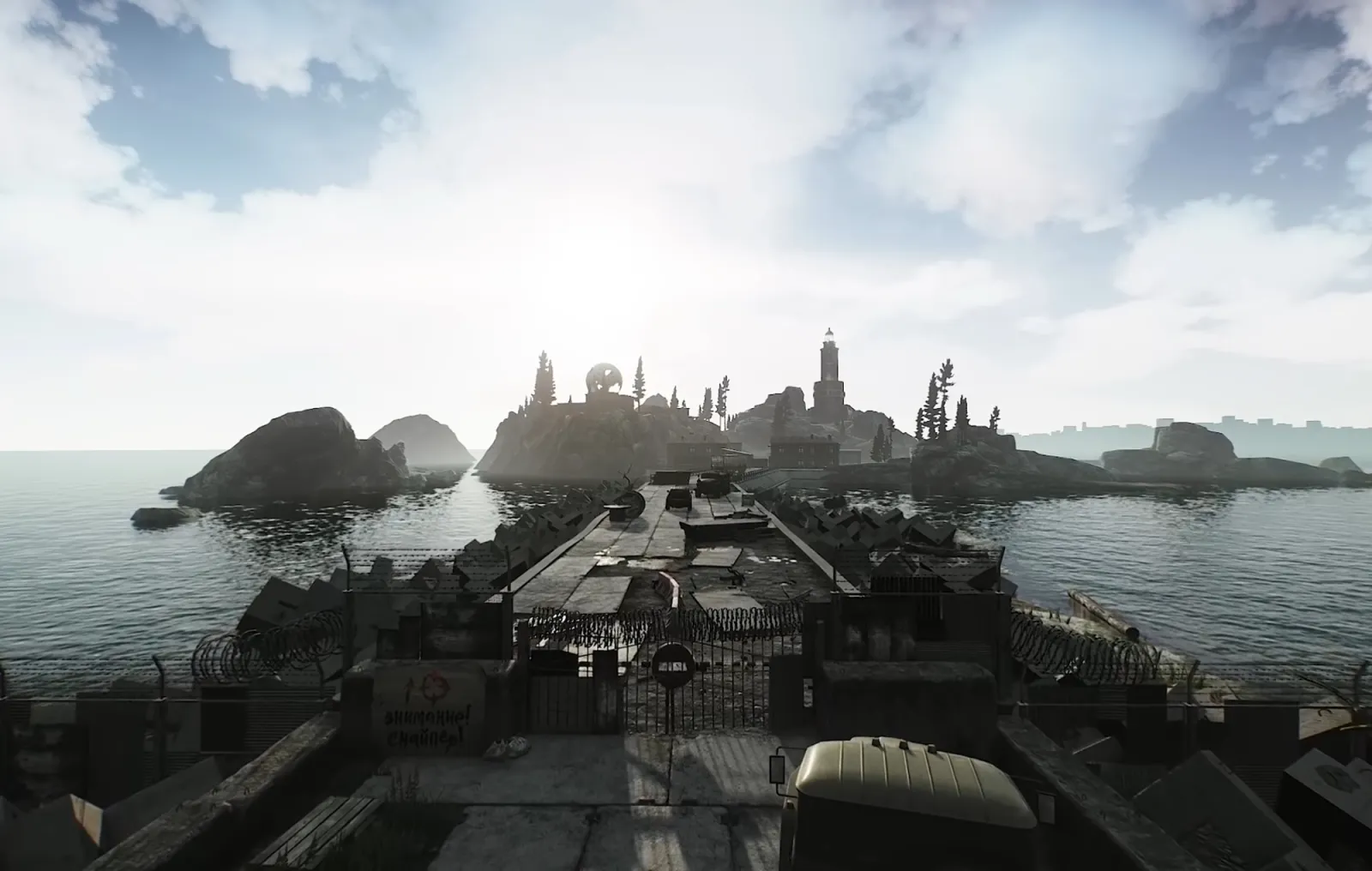
The latest Escape from Tarkov (EFT) patch 0.12.12.31 is live now, as of an update that was deployed following two hours of server maintenance. Developer Battlestate Games has fixed an issue with the Escape from Tarkov Lighthouse map as part of the patch, and has also added a new sound to the game: a different effect that plays when players walk over plastic surfaces. There's also an altered sound that plays when walking over wooden surfaces.
There's a wide variety of fixes that have been implemented this time around as well, including improvements to spawn locations for Scav players and reduced network latency. If you're someone who spends a lot of time in Escape from Tarkov, this latest patch should be a boon for you. And for anyone who's had issues with the Lighthouse map in the past, you can kiss those problems goodbye.
Escape from Tarkov offers a realistic first-person shooter experience with tactical elements. It's a multiplayer simulation with a PvPvE mode as well as extraction-based play that feels like a close analogue to Rainbow Six: Extraction or Hunt: Showdown. It has few peers in the first-person shooter space, and even though it's not completely finished, it's still attracting plenty of players.
Read More
Here’s Why ‘Call of Duty: Warzone’s’ Player Count Has Been Reduced3 min read

‘Call of Duty: Warzone Pacific’ Patch Notes, File Size, Weapons List and Map Revealed5 min read

‘Call of Duty: Warzone’ Midseason Update and ‘Attack on Titan’ Bundle Release Date5 min read

Looking to see what's changed with Escape from Tarkov Update 0.12.12.31? You can find the patch note highlights below.
...
Escape from Tarkov Patch 0.12.12.31: Changes and Fixes
The latest Escape from Tarkov patch features a wide range of changes to the first-person shooter and multiplayer simulator. Find the details and highlights of each fix below.
Changes:
- Optimized the network buffer to reduce network latency for other players
- Adjusted the Player Scav spawn system to prevent spawns in incorrect positions
- Changed the "task item" icon display. Now it will appear only when the item is still required for the task. If the subtask is already completed and all items are transferred, the icon will not appear
- Added new sounds of movement on plastic surfaces
- Adjusted sounds of movement on thin wood surfaces
- Added sounds of falling ammo casings on plastic surfaces.
- Mip Streaming has been reworked and can now be enabled in the Graphics settings. 2 new options were added in the Graphic settings:
- Mip Streaming disk request limit: The lower the value, the slower the speed of loading textures to a given quality. If the value is increased, textures will load faster, while also increasing the load on the hard drive. On slow drives, this can lead to a large queue of drive operations and the opposite effect—textures will start loading slower.
- Buffer size: The amount of RAM that is reserved for textures loading to a given quality. The larger the amount is, the higher the peak disk load and the faster the loading of all the necessary textures will be.
Fixes:
- Fixed the ability to get inside fire trucks on Shoreline and Lighthouse
- Players can now see each other in The Lab lobby screen if before that they went into raids at different time settings (daytime and nighttime)
- Fixed VOIP button locations for the 2560x1080 resolution
- Fixed incorrect bot behavior when receiving damage from barbed wire
- Fixed the missing sounds of Player Scav heavy breathing at low stamina
- Fixed the glowing foliage during rain with SSR enabled
- Fixed the dropping points of airdrops in places where they could collide with
- other objects
- Fixed the interaction radius of the WARTECH TV-109 + TV-106 chest rig laying on the ground
- Fixed the phrase settings resetting after changing other settings
- Fixed the ability to transfer items to the Scav inventory in the after raid screen
- Fixed the localization of the "item is not found in stash" error when trying to use it for a barter on the Flea Market
- Fixed incorrect display of the special slots icon at low resolutions
- Fixed the ability to stand up under trailers, wagons, trucks when there is no space for it
- Fixed the incorrect third-person stationary jump animation when the character is overweight
- Fixed camera stutters when moving in a zigzag
- Fixed the speed of going prone after getting rid of the overweight status
- Fixed the incorrect jump animation during sprint
- Fixed forced launch of the game on the secondary monitor
- Fixed the ability to ensure RSP flares
- Fixed the ability to change the Benelli M3 fire mode when the weapon is on bolt catch
- Fixed incorrect player movement speed while crouching;
- Fixed player movement animations while doing side-steps and moving in opposite directions while crouching
- Fixed an issue that led to inability to interact with airdrops in some cases
- Fixed the display of the task item icon on the Player Scav item transfer screen
- Removed the incorrect voice lines for English BEAR PMC voices
- Fixed an issue that led to signal pistol cartridges and RSP flares teleporting in some cases;
- Fixed the speed of leaning animation while using Q/E leans during slow Alt+A/Alt+D leans
- Fixed the Rogue bosses' behavior for finding cover in buildings on Customs
- Fixed the display of item names in the inspector in Japanese and Korean localizations
- Fixed an issue that led to significantly reduced FPS on nighttime Factory
- Fixed an incorrect animation that led to the ability to go prone while jumping.
Read the complete Escape from Tarkov Patch 0.12.12.31 notes at the game's official website. Escape from Tarkov is available to play on PC in a pre-release state now.
View 0 Comments
Submit Correction
View Editorial & AI Guidelines